
What does building your own licensing system involve?
Building your own licensing system means writing and maintaining every piece that decides who may run your software, where, and for how long. The first version is usually a license key check: generate a key, have the application validate it, done. That part is easy.
Real customers ask for more than that, though. Within a few releases, a homegrown system typically needs most of the following:
- Signed licenses that can’t be edited to add seats or extend dates.
- Node-locking to a specific machine, which means choosing and maintaining hardware identifiers across Windows, Linux and macOS.
- Floating (concurrent) licenses, which need a license server, heartbeat and timeout logic, and recovery after network drops.
- Trials, subscriptions and expirations, plus detection of system clocks that have been wound back.
- Virtual machine and container rules, because a cloned VM carries its machine identity with it.
- Offline and air-gapped activation for customers whose networks never touch the internet.
- Borrowing or roaming so a user can take a license on the road.
- Usage reporting so sales and finance can see what customers actually use.
- Fulfillment integration with your CRM or order system, and a way for support to reissue or move licenses.
Each of these is a small project with its own edge cases, test matrix and support tickets.
How much does an in-house license manager cost?
An in-house license manager typically costs well into six figures over five years once fully loaded engineering time is counted. The US Bureau of Labor Statistics puts the median annual wage for software developers at $135,980 as of May 2025. Wages are only part of what an employee costs. In June 2025, benefits made up $13.58 of the $45.65 per hour that private employers spent on total compensation, or roughly 30%.
Base wages made up the other $32.07, about 70% of total compensation. Dividing the developer median by that share ($135,980 ÷ 0.7025) gives an estimated fully loaded cost of about $193,600 per engineer per year. The benefit ratio covers all private-industry workers, so treat it as a broad proxy for a software team. The model below uses the $193,600 figure with round-number assumptions.
Assumption
Estimated cost
Initial build
2 engineers × 6 months (1 engineer-year) for a first release
~$193,600
Ongoing maintenance
25% of one engineer, every year, as a floor
~$48,400 / year
Five-year total
Build plus five years of upkeep
~$435,600

These assumptions are illustrative, not industry benchmarks, so swap in your own team’s estimates. One engineer-year buys a first release, not all nine pieces listed above, and 25% upkeep is a floor that leaves out the migrations and platform changes covered below. The model also leaves out infrastructure, security review and support desk time. For the real comparison, put a commercial quote next to your total, plus your own engineering time to adopt it: adding the library to your builds, connecting license delivery to your CRM or order system, and running both systems during the switch.
Why does the maintenance bill keep growing?
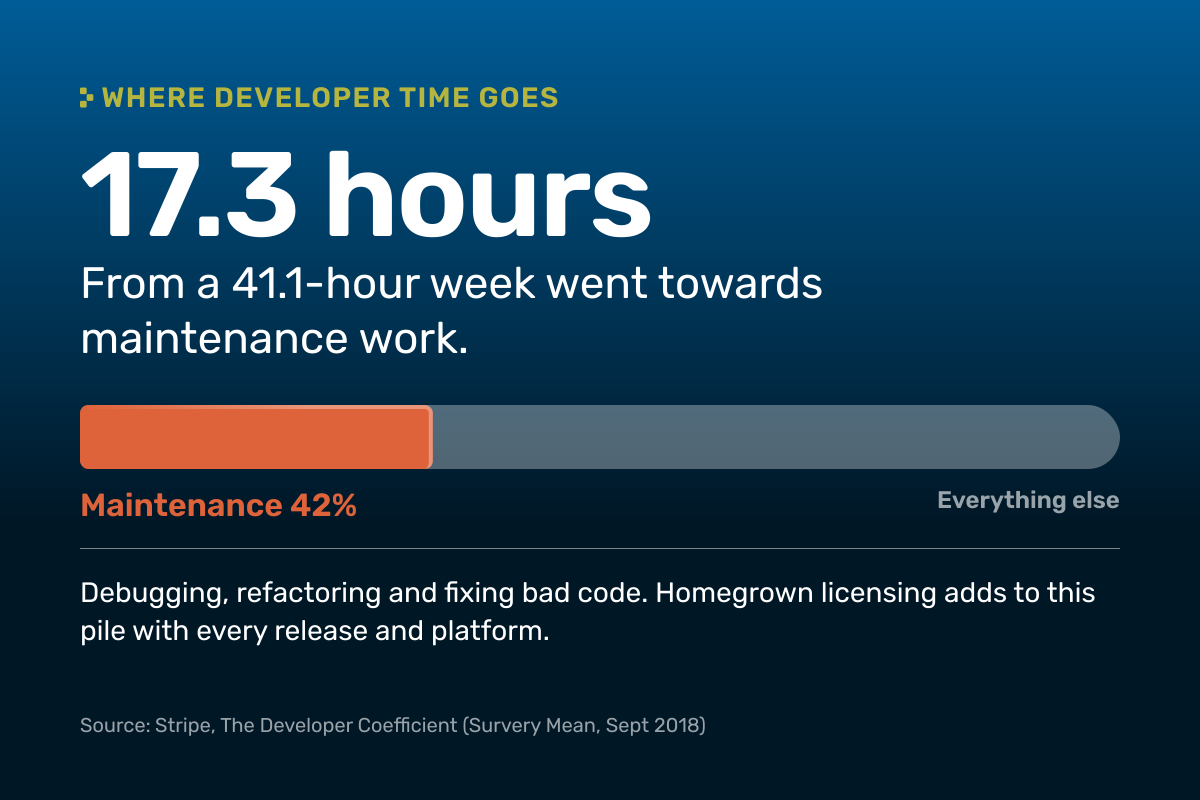
The maintenance bill grows because licensing code is never finished. It ships in every release, runs on every supported platform and has to work in every customer environment. Maintenance already takes a large share of engineering time: in Stripe’s 2018 developer survey, respondents reported spending 17.3 hours of a 41.1-hour week on maintenance work such as debugging and refactoring. The US Government Accountability Office reports that federal agencies have typically spent about 80% of their IT funds operating and maintaining existing systems rather than building new ones.
Homegrown licensing also piles up technical debt quickly, as each new license model gets bolted onto a design it wasn’t built for it. McKinsey found that CIOs estimate tech debt at 20 to 40% of the value of their entire technology estate, and that 10 to 20% of the budget meant for new products gets diverted to dealing with it.
Customer environments keep changing too. In the CNCF’s 2024 survey, 91% of organizations ran containers in production and 80% used Kubernetes. A scheme built around physical workstations needs rules for containers and VMs, or customers will end up running your software in ways your licenses never anticipated.
What security work comes with homegrown licensing?
Homegrown licensing is security code, with the same obligations as authentication or payment code. A license is only as trustworthy as the signature that protects it, and cryptographic failures rank fourth in the OWASP Top 10:2025 list of web application security risks. A flaw in license signing usually goes unnoticed until someone publishes a key generator for your product.
The algorithms behind license signatures also get retired. NIST’s FIPS 186-5 standard, published in February 2023, no longer approves DSA for generating digital signatures; DSA may only be used to verify signatures created earlier. NIST’s final post-quantum transition plan, published in October 2026, goes further: it deprecates all quantum-vulnerable signature algorithms, including RSA, ECDSA and EdDSA, after 2030 and disallows them after 2035. NIST published its first post-quantum signature standards, FIPS 204 (ML-DSA) and FIPS 205 (SLH-DSA), in August 2024. Vendors selling to the US government face a tighter clock: Executive Order 14412 requires federal high-value and high-impact systems to use post-quantum signatures by December 31, 2031.

For an in-house system, each of those changes is a migration project: new keys, new verification code, and a plan for every license already in the field. Budget for key management, too. If the private key that signs your licenses is lost, you can’t issue licenses that older builds will accept. If it leaks, anyone can issue them.
Then there are everyday abuse cases. A cloned virtual machine duplicates its hardware identity, so one licensed server on a VM can turn into ten unlicensed copies, and a clock set back a year can stretch a trial indefinitely. Established license managers handle both. RLM, for example, blocks license servers on virtual machines unless you enable them for a specific customer, treats Docker containers on non-Windows systems as VMs, and automatically checks for clock windback on expiring licenses. Applications can run on VMs by default, so for node-locked licenses you add disable=vm to the license to keep cloned VMs from sharing them.
How do new regulations change the build-vs-buy math?
New product-security rules turn homegrown licensing into a long-term compliance commitment as well as an engineering one. The EU Cyber Resilience Act (CRA), which covers software products sold in the EU, entered into force in December 2024. Its reporting obligations have applied since September 11th, 2026, and its main obligations apply from December 11th, 2027.
Under the CRA, manufacturers must state a support period for each product and handle vulnerabilities throughout it. Licensing code ships inside your product, so a vulnerability in a homegrown license check is yours to find, fix and report. Buying a license manager doesn’t move those obligations to the vendor. You’re still the manufacturer, so you list the component in your software bill of materials, ship an update when it needs patching, and report actively exploited vulnerabilities in your product on the CRA’s deadlines. What changes is the engineering: the vendor finds and fixes flaws in the licensing code, so your team isn’t maintaining it.

What happens when the person who built it leaves?
When the person who built your licensing system leaves, most of the knowledge of how it works goes with them. The median private-sector employee has been with their current employer for 3.9 years, according to BLS data from January 2026, and 4.6 years in computer and mathematical occupations. A licensing system that stays in service for ten years will probably outlast two or three maintainers.

Few engineers volunteer to inherit licensing code. It touches the build, the installer, the customer’s network and the support desk, and a bug can stop paying customers from running your product. Finding someone who wants that job gets harder when software developer employment is projected to grow 10% from 2025 to 2035 and those engineers have plenty of other options.
When does building your own licensing make sense?
Building your own licensing makes sense when your needs are simple and unlikely to change. Reasonable cases include:
- A single, low-cost product where a basic key check is all the protection the business case justifies.
- Licensing is the product, as when you sell a licensing or entitlement platform yourself.
- Highly unusual hardware or firmware that no commercial toolkit supports.
- A short-lived product that won’t be maintained long enough for the upkeep costs above to matter.
Even in those cases, plan for the long tail. A product sold in the EU still carries CRA vulnerability-handling duties for its support period, and hardware with a long field life will see signature algorithms retired and maintainers change. If none of those cases fit, and especially if you need floating licenses, offline activation, several license models, or customers in regulated or air-gapped environments, buying is usually cheaper and less risky.

Still on the fence? Get the full decision guide
What should you look for in a commercial license manager?
A commercial license manager should give you the flexibility you’d want from an in-house system, without the maintenance. Use these criteria to compare options. Also ask every vendor how it plans to move license signatures to post-quantum algorithms and how it tells you about security fixes, since CRA reporting for your product stays with you.
Why it matters
How RLM handles it
License models you can change without code changes
Product teams can test pricing without an engineering sprint
Policy lives in the license file, so new terms ship as a new license
Readable, signed licenses
Support can see what a customer has; customers can’t edit it
Human-readable license files with a digital signature on every license
Floating and node-locked support
Covers workstation, server and site deals
Both, plus token, metered, roaming and failover servers
On-premises, cloud and offline options
Matches how your customers actually deploy
Customer-hosted license servers, vendor-hosted RLM Cloud, and file-based licenses that work fully offline
Virtualization and abuse controls
Stops VM cloning and clock tricks
VM controls and clock windback detection built in
Usage reporting
Sales and finance see what customers actually use
Authenticated report logs on every license server, plus built-in usage reports in RLM Cloud
Fulfillment and CRM integration
Orders turn into licenses without manual steps
Activation Pro connects to Salesforce out of the box and to other CRMs through a REST API, and RLM Cloud has its own REST API
Support you can reach
Licensing bugs block revenue
Questions go straight to licensing specialists, not a front-line queue
How do you move from homegrown licensing to a license manager?
Moving from homegrown licensing to a license manager usually happens in stages, so existing customers keep working while new licenses come from the new system. StrataData, for example, ran a home-built system for multi-user clients alongside dongles before consolidating on RLM. It kept its existing dongles working and added floating, temporary and roaming licenses. Peregrine Labs replaced a small in-house toolset with RLM so its developers could focus on their products.
A typical migration looks like this:
- Inventory what you have: license models in use, how keys are issued, and which customers are on which versions.
- Map each model to the new system’s equivalent and decide what to retire.
- Integrate the new library in your next release and issue new-format licenses with it. Update your order system and support tools at the same time so they can issue, reissue and move the new format.
- Run both systems side by side until older releases age out of support. Decide how upgrading customers move over, for example by reissuing their licenses or splitting seats between the old and new servers, so nobody loses access or ends up with double the seats. Set an end date for the old system, because you keep maintaining and patching its licensing code until then.
Hundreds of software vendors run their licensing on RLM. If you’re considering a rebuild of an in-house system, try RLM free or talk to our team about what switching would involve.